Leave Management System Using VB.NET and MySQL Database Free Source Code
Leave management system is a software-based system that has the capability to track all of your employees' leave information in just one click. This is the right system if you want to automate your em...
Leave Management System Using VB.NET and MySQL Database Free Source Code
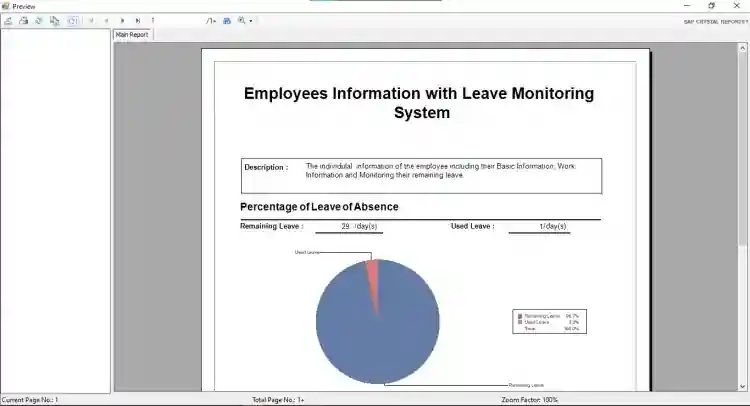
Leave management system is a software-based system that has the capability to track all of your employees' leave information in just one click. This is the right system if you want to automate your employees' leave process in an efficient way, accurate, and making it hassle-free for both management and employee. This system also allows your employee to request and track their own leave. Most especially it reduces the time of an employee to wait for a leave request. See the following features below to know more about the system.
These are the following features of the system
Manage Employees
List of Employees
Add New Employee
Edit Employee Information
Print All Employee
Print Specific Employee
Manage Leave of Absence
Apply Leave of Absence
History of Approved Leaves
Maintenance
Manage Position of Employees
Manage Departments
Manage Users Reports
This Leave Management System's source code is free to download on this website. Feel Free to download and modify the source code the way you wanted. Follow the instructions below to run the project properly.
How to Run
Requirements:
(Download and Install the ff:)
XAMPP Latest Version
MySQL Connector
MySQL Odbc
Microsoft Visual Studio 2015 or later version
SAP Crystal Reports
Setup/Installation
Download and Extract the provided source code zip file. (download button is located below)
Open your XAMPP's Control Panel and strat Apache and MySQL
Open a browser and browse the PHPMyAdmin i.e. http://localhost/phpmyadmin
Create a new database naming db_leave
Import the provided SQL File inside the extracted source code folder. The file is known as db_leave.sql.
Locate the project's solution file in the extracted source code folder. The file is know LeaveManagementSystem.sln
Open the solution file with your MS Visual Studio Software.
Press the F5 key on your keyboard to run the Leave Management System.
Access this system using the admin accounts:
Username: admin
Password: admin
DEMO
For more information about the system. You can contact me @
Email – [email protected]
Mobile No. – 09305235027 – TNT
FB Account – https://www.facebook.com/onnaj.soicalap
Or feel free to comment below.
Screenshots

Download Project
