Human Resource Management System in VB.Net and SQL Server with Full Source Code
Human Resource Management System in VB.Net with Full Source Code The Human Resource Management System is a software based system that is made up of VB.Net and SQL Server for the database. It contains ...
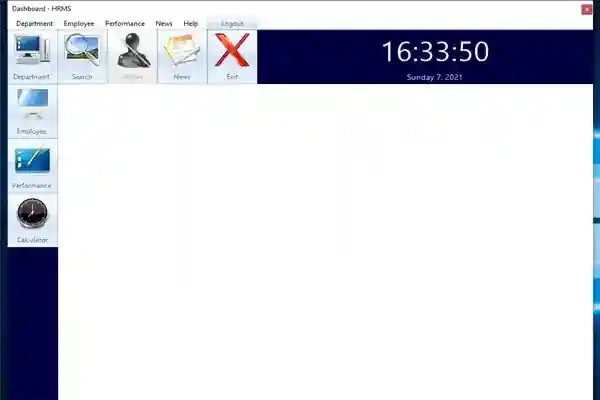
Human Resource Management System in VB.Net and SQL Server with Full Source Code
Human Resource Management System in VB.Net with Full Source Code
The Human Resource Management System is a software based system that is made up of VB.Net and SQL Server for the database. It contains an admin section that plays an important role in all of the management of the system. This Human Resource Management System in VB.Net is designed as an easy to use system that users can easily operate and understand it.
About the Human Resource Management System in VB.Net
The main purpose of this Human Resource Management System in VB.Net is to easily manage the employee’s record by their respective department and their overall performance. In this Human Resource Management System in VB.Net, the admin has to go through the loin system to get an access. Once, he/she already logged in into the system, he can now add an employee by providing necessary details such as name, address, age, contact number, department and salary. The admin has also the ability to check the performance of every employee by just selecting a month. The employees in every department have a unique department ID which is automatically generated by the system.
These are the following feature of the Human Resource Management System in VB.Net
Manage Employees
Manage Department
Find All Employees by Department
Find All Employees by Salary
Find All Employees by Job Title
Find All Employees by Performance
Calculator
Manage News
Download and install the following system requirements:
SQL Server Management Studio
Microsoft Visual Studio 2015
How to setup the Human Resource Management System in VB.Net with Full Source Code
Download the zip file.
Download and install SQL Server Management Studio
Extract the downloaded zip file (HRMS)
Open the SQL Server Management Studio
Connect as a Windows Authentication
Right click the database
Click Restore Database
Click Add and find the database file (HRMS.BAK) inside the HRMS folder
Click ok
How to run the Human Resource Management System in VB.Net with Full Source Code
Open the folder HRMS
Click NewHRMS.sln to open the system.
After that, press F5 to run the system
Accessing admin accounts
Username: admin
Password: admin
This Human Resource Management System in VB.Net with Full Source Code is for educational purposes only. You can download it as a reference and expand your knowledge in making a system. You can freely modify it, according to your desire.
Screenshots

Download Project
