Sudoku Game Using Pygame in Python with Source Code
The Sudoku Game is an interactive desktop application built entirely with Python. The gameplay is simple and follows the rules of the classic Sudoku p...
Sudoku Game Using Pygame in Python with Source Code
The Sudoku Game is an interactive desktop application built entirely with Python. The gameplay is simple and follows the rules of the classic Sudoku puzzle. The Sudoku Game Using Pygame features a fun and interactive experience where you solve number puzzles just like in the traditional game. This project is an excellent opportunity to reinforce essential programming concepts, making it a valuable exercise for improving your Python skills in game development. The Sudoku Game Using Pygame in Python with Source Code is free to be downloaded just read the content below for more info. This application is for educational purpose only. Sudoku Game Using Pygame in Python with Source Code Basic Information
Language used: Python Coding Tool used: Built-in Python IDLE Type: Desktop Application Database used: None
About Sudoku Game A Sudoku Game using Pygame is an interactive desktop application developed in Python that brings the classic number puzzle to life through a graphical interface. Built using the Pygame, the game presents a 9×9 Sudoku grid where players are tasked with filling in missing numbers from 1 to 9 while following the standard Sudoku rules—each number must appear only once in every row, column, and 3×3 subgrid. The project typically includes features such as mouse and keyboard input handling, real-time validation of moves, and visual feedback to indicate correct or incorrect entries. Some versions may also provide helpful tools like hints, puzzle generation, reset options, and a timer to track completion time, making the gameplay more engaging and challenging. Overall, this project is an excellent way to apply programming concepts such as event-driven development, logic implementation, and graphical user interface design, while also enhancing problem-solving and algorithmic thinking skills through an enjoyable and familiar puzzle format. Sudoku Game Using Pygame in Python with Source Code Features
Game Window and Interface
Built using the Pygame library. 9x9 Sudoku grid displayed clearly on screen. Clean and organized layout with grid lines and boxes. Highlighted selected cell for better interaction.
Sudoku Puzzle Generation
Generates or loads a valid Sudoku puzzle. Pre-filled numbers (fixed cells) cannot be changed. Empty cells are filled by the player. Ensures only valid Sudoku puzzles are used.
Player Input System
Players input numbers using keyboard (1–9). Supports clicking a cell then typing a value. Prevents editing of fixed pre-filled cells.
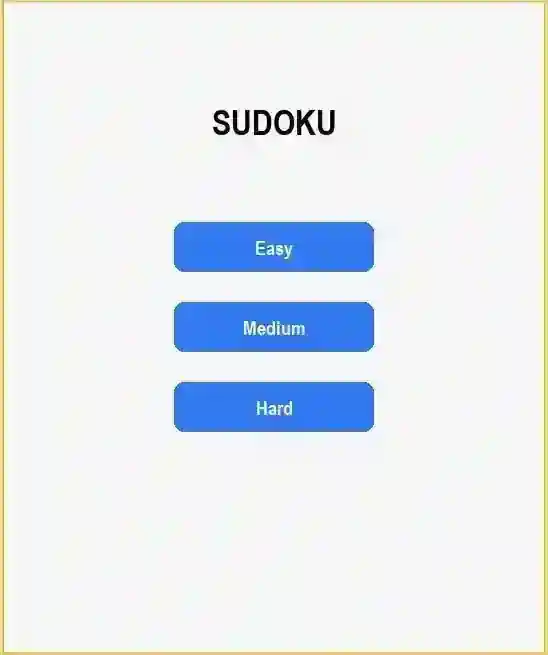
Sample Application Screenshot:
Sudoku Game Using Pygame in Python with Source Code Installation Guide
First you need to download & install the Python IDLE's, here's the link "https://www.python.org/downloads/". Download the source code in this site. Locate and Extract the zip file. Open the extracted folder Locate the py file. Then open the file via python IDLE or any IDE that supports python language. Run the py file to launch the program.
That's all, The Sudoku Game was created fully functional using Python language. I hope that this project can help you to what you are looking for. For more projects and tutorials please kindly visit this site. Enjoy Coding! The Sudoku Game Using Pygame in Python with Source Code is ready to be downloaded just kindly click the download button below. Related Projects & Tutorials Sudoku Game
Screenshots


Download Project
