Sokoban Game Using Pygame in Python with Source Code
The Sokoban Game is an interactive desktop application built entirely with Python using the Pygame library. The gameplay is simple yet challenging — t...
Sokoban Game Using Pygame in Python with Source Code
The Sokoban Game is an interactive desktop application built entirely with Python using the Pygame library. The gameplay is simple yet challenging — the player uses the arrow keys to navigate and must push boxes to their designated locations marked with red dots to clear each level. The Sokoban Game Using Pygame features a straightforward design that requires careful planning and strategy to complete the levels. This project is an excellent opportunity to reinforce essential programming concepts, making it a valuable exercise for improving your Python game development skills. The Sokoban Game Using Pygame in Python with Source Code is free to be downloaded just read the content below for more info. This application is for educational purpose only. Sokoban Game Using Pygame in Python with Source Code Basic Information
Language used: Python Coding Tool used: Built-in Python IDLE Type: Desktop Application Database used: None
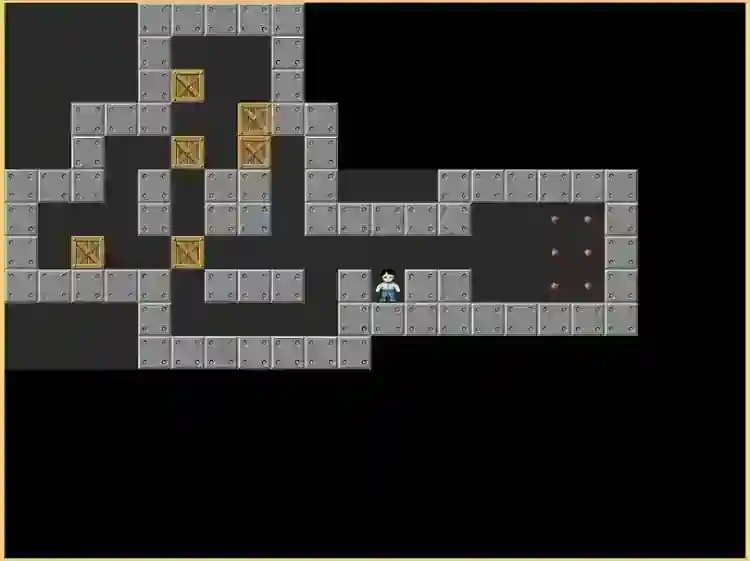
About Sokoban Game Sokoban Game Using Pygame is a classic puzzle game developed entirely in Python using the Pygame library. In this game, players take control of a character whose goal is to push boxes onto designated target spots within a confined maze. Each level presents a unique challenge that requires careful planning, strategic thinking, and problem-solving skills to move the boxes without getting stuck. With simple and intuitive controls, the game offers a smooth and engaging experience for players of all ages. The increasing difficulty of the levels ensures a satisfying challenge that exercises both patience and logic, making it an enjoyable and brain-teasing desktop game for puzzle enthusiasts. Sokoban Game Using Pygame in Python with Source Code Features
Classic Sokoban Gameplay
Players push boxes onto designated storage locations. The goal is to move all boxes to their target positions to complete each level.
Player Controls
Smooth keyboard-based movement (arrow keys or WASD) for navigating the warehouse. Players can push boxes one at a time but cannot pull them.
Multiple Levels
Includes predefined puzzle levels with increasing complexity. Levels challenge the player’s logic, planning, and problem-solving skills.
Sample Application Screenshot:
Sokoban Game Using Pygame in Python with Source Code Installation Guide
First you need to download & install the Python IDLE's, here's the link "https://www.python.org/downloads/". Download the source code in this site. Locate and Extract the zip file. Open the extracted folder Locate the py file. Then open the file via python IDLE or any IDE that supports python language. Run the py file to launch the program.
That's all, The Sokoban Game was created fully functional using JavaScript language. I hope that this project can help you to what you are looking for. For more projects and tutorials please kindly visit this site. Enjoy Coding! The Sokoban Game Using Pygame in Python with Source Code is ready to be downloaded just kindly click the download button below. Related Projects & Tutorials Sokoban Game
Screenshots


Download Project
