Piano Tiles Game Using Pygame in Python with Source Code
The Piano Tiles Game is an interactive desktop application built entirely with Python using the Pygame library. The gameplay is a clone of the origina...
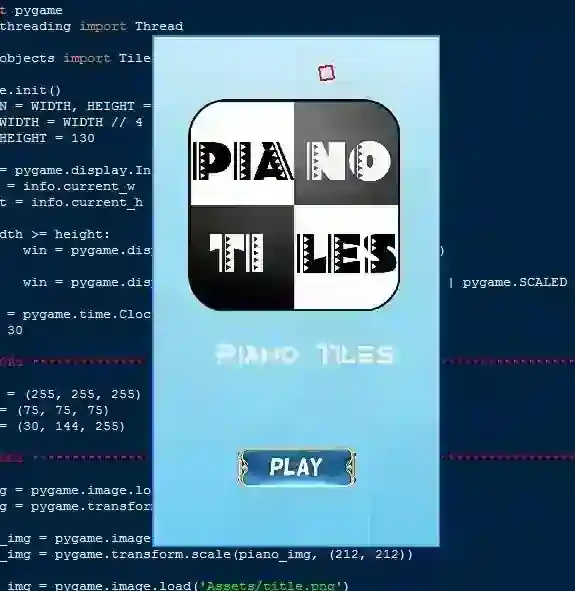
Piano Tiles Game Using Pygame in Python with Source Code
The Piano Tiles Game is an interactive desktop application built entirely with Python using the Pygame library. The gameplay is a clone of the original piano tile games, where the objective remains the same — tap the black tiles to score points while avoiding mistakes. The Piano Tiles Game Using Pygame features engaging and challenging gameplay that requires focus and quick reflexes. If you miss a black tile, the game will be over. This project is an excellent way to practice and reinforce essential programming concepts, making it a valuable exercise for enhancing your Python skills in game development. The Piano Tiles Game Using Pygame in Python with Source Code is free to be downloaded just read the content below for more info. This application is for educational purpose only. Piano Tiles Game Using Pygame in Python with Source Code Basic Information
Language used: Python Coding Tool used: Built-in Python IDLE Type: Desktop Application Database used: None
About Piano Tiles Game The Piano Tiles Game Using Pygame is an exciting rhythm-based game that tests a player’s speed, accuracy, and reflexes. In this game, black tiles continuously fall from the top of the screen, and the player must quickly press the corresponding keys to hit them before they disappear. Missing a tile or pressing the wrong key ends the game, adding to the challenge. Developed with Python’s Pygame library, the project features smooth animations, responsive controls, and an engaging gameplay loop that keeps players focused and entertained. It’s a great way to practice programming concepts like event handling, collision detection, and game loop Piano Tiles Game Using Pygame in Python with Source Code Features
User Interface (UI)
Built with Pygame for smooth graphics and animations. Simple layout with a scrolling grid of black and white tiles. Scoreboard at the top to track points in real time. Game-over screen with restart option.
Gameplay Mechanics
Tiles fall from the top of the screen at increasing speed. Player must click or press the black tiles to score points. Missing a black tile or clicking a white tile ends the game. Progressive difficulty as the game speed increases over time.
Interactivity & Controls
Mouse clicks or keyboard input for tile interaction. Immediate feedback when a correct or wrong tile is pressed. Responsive and fast-paced controls for engaging gameplay.
Scoring & Progress
Points increase with each correctly tapped black tile. Score multiplier or combo streaks for consecutive hits (optional). Display of current score and high score for replay value.
Sample Application Screenshot:
Piano Tiles Game Using Pygame in Python with Source Code Installation Guide
First you need to download & install the Python IDLE's, here's the link "https://www.python.org/downloads/". Download the source code in this site. Locate and Extract the zip file. Open the extracted folder Locate the py file. Then open the file via python IDLE or any IDE that supports python language. Run the py file to launch the program.
That's all, The Piano Tiles Game was created fully functional using JavaScript language. I hope that this project can help you to what you are looking for. For more projects and tutorials please kindly visit this site. Enjoy Coding! The Piano Tiles Game Using Pygame in Python with Source Code is ready to be downloaded just kindly click the download button below. Related Projects & Tutorials Piano Tiles Game
Screenshots


Download Project
