Morse Code Translator App Using Tkinter in Python with Source Code
The Morse Code Translator App is an interactive desktop application built entirely with Python using the Tkinter library. This simple Tkinter project ...
Morse Code Translator App Using Tkinter in Python with Source Code
The Morse Code Translator App is an interactive desktop application built entirely with Python using the Tkinter library. This simple Tkinter project allows the user to translate Morse code into readable text and vice versa. The Morse Code Translator App Using Tkinter in Python includes tools that provide an easy-to-use Morse code translator. This project is an excellent way to practice and reinforce essential programming concepts, making it a valuable exercise for enhancing your Python skills in application development. The Morse Code Translator App Using Tkinter in Python with Source Code is free to be downloaded just read the content below for more info. This application is for educational purpose only. Morse Code Translator App Using Tkinter in Python with Source Code Basic Information
Language used: Python Coding Tool used: Built-in Python IDLE Type: Desktop Application Database used: None
About Morse Code Translator App The Morse Code Translator App is an intuitive and interactive desktop application developed using Python and the Tkinter library. Designed with a clean and user-friendly interface, it enables users to easily convert plain text into Morse code and decode Morse code back into readable text. The app supports real-time translation, allowing users to quickly see results as they type, making it an excellent tool for learning and practicing Morse code. With features such as clear input/output areas, copy-to-clipboard functionality, and easy navigation, this application is perfect for students, hobbyists, or anyone interested in exploring the world of Morse code communication in a fun and educational way. Morse Code Translator App Using Tkinter in Python with Source Code Features
User-Friendly GUI Interface
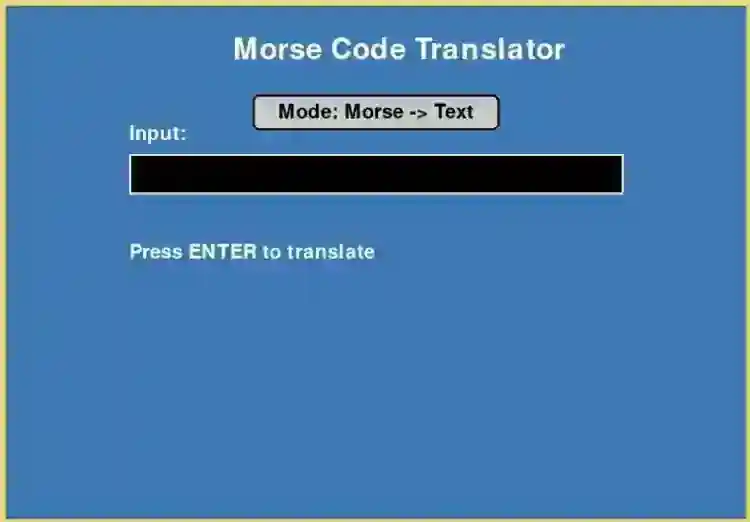
Built using Tkinter for a clean and intuitive layout. Organized sections for text input, Morse code input, and translation results. Clear labels, buttons, and display areas for smooth interaction.
Text to Morse Code Translation
Converts plain text input into Morse code. Supports uppercase, lowercase letters, numbers, and basic punctuation. Real-time conversion or button-triggered translation.
Morse Code to Text Translation
Converts Morse code input back into readable text. Handles dots (.) and dashes (-) as standard Morse symbols. Displays results clearly in a designated output area.
Interactive Controls
Buttons for Convert Text → Morse, Convert Morse → Text, Clear, and Exit. Optional copy to clipboard functionality for results. Smooth, responsive button interactions for better user experience.
Sample Application Screenshot:
Morse Code Translator App Using Tkinter in Python with Source Code Installation Guide
First you need to download & install the Python IDLE's, here's the link "https://www.python.org/downloads/". Download the source code in this site. Locate and Extract the zip file. Open the extracted folder Locate the py file. Then open the file via python IDLE or any IDE that supports python language. Run the py file to launch the program.
That's all, The Morse Code Translator App was created fully functional using Python language. I hope that this project can help you to what you are looking for. For more projects and tutorials please kindly visit this site. Enjoy Coding! The Morse Code Translator App Using Tkinter in Python with Source Code is ready to be downloaded just kindly click the download button below. Related Projects & Tutorials Morse Code Translator App
Screenshots


Download Project
