File Management System Using Tkinter and SQLite in Python with Source Code
The File Management System is an interactive desktop application built entirely with Python using the Tkinter and SQLite libraries. The application is...
File Management System Using Tkinter and SQLite in Python with Source Code
The File Management System is an interactive desktop application built entirely with Python using the Tkinter and SQLite libraries. The application is highly useful, allowing users to upload and store files efficiently. The File Management System Using Tkinter and SQLite features straightforward functionality for managing files with ease. This project is an excellent opportunity to reinforce essential programming concepts, making it a valuable exercise for improving your Python skills in application development. The File Management System Using Tkinter and SQLite in Python with Source Code is free to be downloaded just read the content below for more info. This application is for educational purpose only. File Management System Using Tkinter and SQLite in Python with Source Code Basic Information
Language used: Python Coding Tool used: Built-in Python IDLE Type: Desktop Application Database used: SQLite
About File Management System The File Management System Using Tkinter and SQLite is a user-friendly desktop application built with Python that helps users organize, manage, and track their files efficiently. The application provides an interactive graphical user interface created with Tkinter, allowing users to easily navigate through the system without using command-line operations. It uses SQLite as its database management system to securely store important file details such as file names, file locations, file types, categories, dates created, and other related information. The system enables users to perform essential file management operations including adding new file records, updating existing information, searching for specific files, viewing stored records, and deleting unnecessary entries. This project is designed to simplify file organization by keeping all file information in a centralized database, making it easier for users to access and monitor their files. The application demonstrates the integration of GUI programming and database management in Python, making it an excellent project for beginners and students who want to improve their skills in developing desktop applications. By working on this system, developers can gain practical experience in handling databases, creating functional interfaces, and implementing CRUD (Create, Read, Update, Delete) operations in a real-world application. File Management System Using Tkinter and SQLite in Python with Source Code Features
Graphical User Interface (GUI)
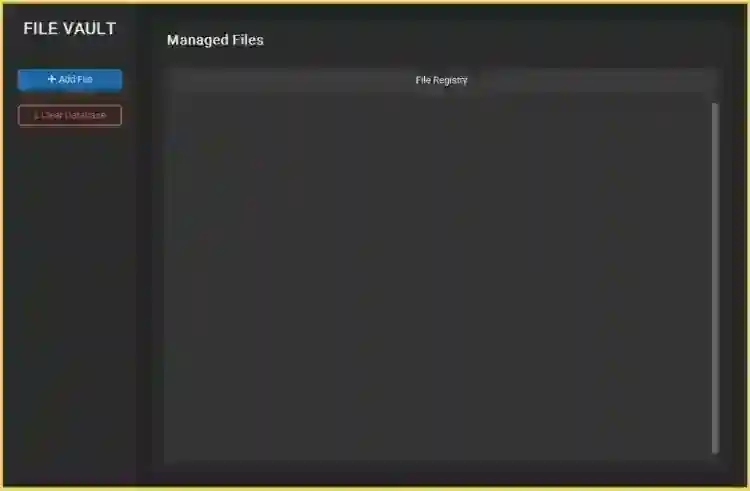
Built using Python’s Tkinter library. Clean and user-friendly interface for file management. Organized layout with menus, buttons, and file display sections. Easy navigation for managing stored files and records.
File Upload and Management
Allows users to add and manage file records.
SQLite Database Integration
Uses SQLite for storing file information securely. Maintains persistent records even after closing the application. Supports CRUD operations.
Sample Application Screenshot:
File Management System Using Tkinter and SQLite in Python with Source Code Installation Guide
First you need to download & install the Python IDLE's, here's the link "https://www.python.org/downloads/". Download the source code in this site. Locate and Extract the zip file. Open the extracted folder Locate the py file. Then open the file via python IDLE or any IDE that supports python language. Run the py file to launch the program.
That's all, The File Management System was created fully functional using Python language. I hope that this project can help you to what you are looking for. For more projects and tutorials please kindly visit this site. Enjoy Coding! The File Management System Using Tkinter and SQLite in Python with Source Code is ready to be downloaded just kindly click the download button below. Related Projects & Tutorials File Management System
Screenshots


Download Project
