Dino Run Game Using Pygame in Python with Source Code
The Dino Run Game is an interactive desktop application built entirely with Python using the Pygame library. The gameplay is simple—it's a clone of th...
Dino Run Game Using Pygame in Python with Source Code
The Dino Run Game is an interactive desktop application built entirely with Python using the Pygame library. The gameplay is simple—it's a clone of the Chrome Dino game. The Dino Run Game Using Pygame features straightforward game mechanics controlled via keyboard bindings (Up Arrow Key to jump, Down Arrow Key to duck). If you accidentally collide with an obstacle, the game will be over and your score will be reset. This project is an excellent opportunity to reinforce essential programming concepts, making it a valuable exercise for improving your Python skills in game development. The Dino Run Game Using Pygame in Python with Source Code is free to be downloaded just read the content below for more info. This application is for educational purpose only. Dino Run Game Using Pygame in Python with Source Code Basic Information
Language used: Python Coding Tool used: Built-in Python IDLE Type: Desktop Application Database used: None
About Dino Run Game The Dino Run Game Using Pygame is a desktop arcade-style game developed with Python and the Pygame library. Inspired by the popular offline Chrome Dino game, it offers a fast-paced, side-scrolling experience where the player controls a dinosaur that must avoid obstacles like cacti and flying creatures by jumping or ducking at the right time. The game features responsive keyboard controls—typically using the arrow keys—to make the dino jump or crouch. As the game progresses, the speed gradually increases, making it more challenging and engaging. It also includes a scoring system that tracks how far the player runs before hitting an obstacle. With simple graphics, smooth animations, and an endless runner mechanic, the Dino Run Game is a great beginner-friendly project that demonstrates key game development concepts such as collision detection, event handling, animation, and game loops using Pygame. Dino Run Game Using Pygame in Python with Source Code Features
Endless Runner Gameplay
The dino keeps running automatically while the player avoids obstacles.
Keyboard Controls
Up Arrow: Jump Down Arrow: Duck
Obstacle Mechanics
Random cacti and flying bird obstacles appear with increasing difficulty.
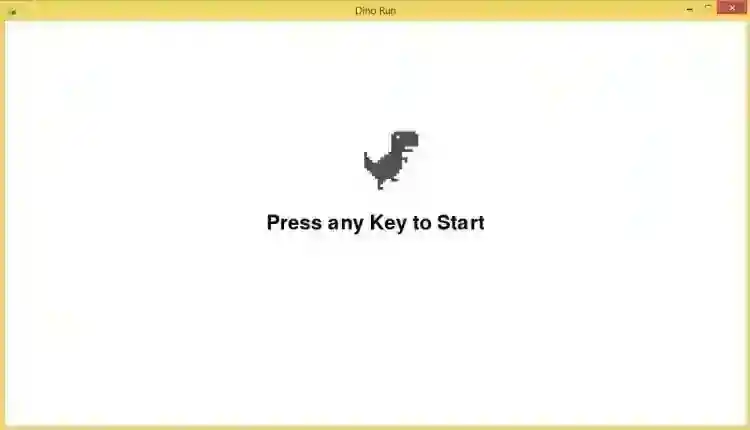
Sample Application Screenshot:
Dino Run Game Using Pygame in Python with Source Code Installation Guide
First you need to download & install the Python IDLE's, here's the link "https://www.python.org/downloads/". Download the source code in this site. Locate and Extract the zip file. Open the extracted folder Locate the py file. Then open the file via python IDLE or any IDE that supports python language. Run the py file to launch the program.
That's all, The Dino Run Game was created fully functional using JavaScript language. I hope that this project can help you to what you are looking for. For more projects and tutorials please kindly visit this site. Enjoy Coding! The Dino Run Game Using Pygame in Python with Source Code is ready to be downloaded just kindly click the download button below. Related Projects & Tutorials Dino Run Game
Screenshots


Download Project
