Web-Based Student Clearance System in PHP Free Source Code
Web-based Student Clearance System is an online clearance system for managing student clearance in universities. This application can be accessed by multiple user roles. It helps the certain universit...
Web-Based Student Clearance System in PHP Free Source Code
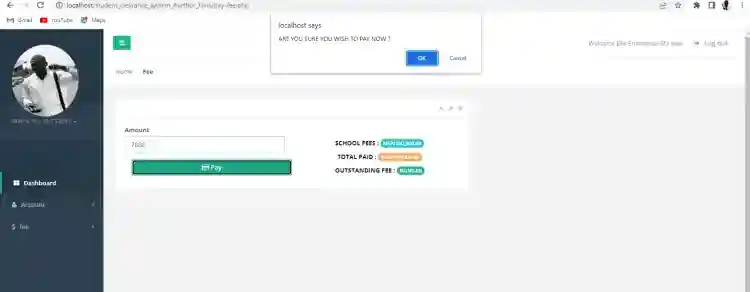
Web-based Student Clearance System is an online clearance system for managing student clearance in universities. This application can be accessed by multiple user roles. It helps the certain university to store and retrieve the student's clearance records easily. It has a pleasant user interface and consists of user-friendly features and functionalities.About the Student Clearance SystemThe Student Clearance System application allows students to pay and monitor their payment history. Once the students pay their fees and are cleared at the hostel, sports directorate, and student affairs department, their status on their dashboard will turn to "Cleared". When the student's clearances are all cleared, he/she can print out his clearance letter for NYSC and graduation.The Admin Users are the ones who are in charge of managing and populating the lists on the system such as the users and student lists. This user role manages also the fees or the amount payable by the student for each Department and Faculty.FeaturesAdmin PanelLogin and LogoutUser ManagementRegister New StudentList All StudentsManage Student ClearanceAdd FeeView Payment HistoryChange PasswordStudent-SideLogin and LogoutDashboard PagePay Outstanding FeeView Payment HistoryUpdate PhotoChange PasswordSample SnapshotAdmin DashboardStudent DashboardHow to RunRequirementsDownload and Install any local web server such as XAMPP.Download the provided source code zip file. (download button is located below)System Installation/SetupOpen your XAMPP Control Panel and start Apache and MySQL.Extract the downloaded source code zip file.Copy the extracted source code folder and paste it into the XAMPP's "htdocs" directory.Browse the PHPMyAdmin in a browser. i.e. http://localhost/phpmyadminCreate a new database naming student_clearance.Import the provided SQL file. The file is known as student_clearance.sql located inside the db folder.Browse the Student Clearance System in a browser. i.e. http://localhost/student_clearance_system_Aurthur_Javis/ for students and http://localhost/student_clearance_system_Aurthur_Javis/admin for the admin panel.Let’s Work Together! Are you looking for a reliable developer to bring your project to life or scale your existing business? I am available for freelance roles and collaborations.Email: [email protected]WhatsApp: +2348067361023Admin Login DetailsUsername: adminPassword: admin123DEMO VIDEO
For your research project, Thesis, Mobile, Web, and desktop development jobs reach me via Whatsapp +2348067361023, Facebook- ndueso Walter, email - [email protected], Twitter- Seniorwalter2Explore more on this website for more Tutorials and Free Source Codes.
Screenshots
 \n
\n \n
\n
Download Project
