Simple To-Do List System Using PHP
This PHP project is entitled Simple To-Do List, a lightweight and efficient web-based task management application designed to help users organize and manage their daily activities with ease. Developed...
Simple To-Do List System Using PHP
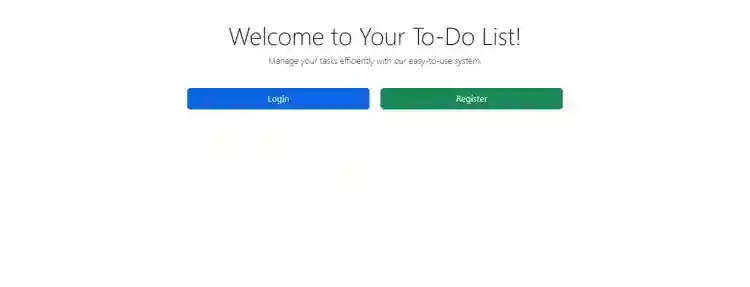
This PHP project is entitled Simple To-Do List, a lightweight and efficient web-based task management application designed to help users organize and manage their daily activities with ease. Developed using PHP, HTML, CSS, and JavaScript, this system allows for efficient and effective task handling, including features like adding, editing, deleting, and marking tasks as completed. It boasts a clean, responsive, and visually appealing user interface paired with intuitive, user-friendly functionalities that enhance productivity and user experience. Ideal for personal use, student projects, or as a base for more advanced productivity apps, the Simple To-Do List provides a solid foundation for building reliable task tracking and to-do list applications.The Simple To-Do List System is an intuitive web-based task management application designed to help users organize and manage daily tasks efficiently. Built with a focus on productivity and ease of use, this system enables users to add new tasks, update existing entries, mark tasks as completed, delete unwanted items, and track task progress based on current status. Whether you're managing personal goals, work assignments, or team projects, this task tracker tool offers a clean and responsive interface for users to stay on top of their to-do lists. Ideal for students, professionals, and remote teams, this simple yet powerful system enhances time management and boosts workflow efficiency across any device.Key FeaturesAdd Task: Users can input a task with a title, description, and due date.Update Task: Users can edit task details, including the title, description, and due date.Task Status: Tasks can be categorized as Pending, In Progress, or Completed.Delete Task: Users can remove tasks from the list if no longer needed.Task History: Keeps a record of completed and deleted tasks for future reference.Technology UsedFrontend HTMLCSSBootstrapJavaScriptBackend PHP (for database management and CRUD operations)Database MySQL (to store tasks and their statuses)This system is specifically designed for personal task management, offering a clean, intuitive, and user-friendly interface that enhances productivity and time management. With its straightforward layout and easy-to-use features, users can efficiently organize, prioritize, and track their daily tasks. Ideal for students, professionals, and anyone looking to boost their workflow efficiency, this lightweight web application ensures a smooth task-handling experience on both desktop and mobile devices.SnapshotsLogin FormRegistration FormTask ListTask Form ModalTask HistoryHow to Run?RequirementsDownload and Install any local web server such as XAMPP.Download the provided source code zip file. (download button is located below)System Installation/SetupOpen your XAMPP Control Panel and start Apache and MySQL.Extract the downloaded source code zip file.Copy the extracted source code folder and paste it into the XAMPP's "htdocs" directory.Browse the PHPMyAdmin in a browser. i.e. http://localhost/phpmyadminCreate a new database named todo_list.Import the provided SQL file. The file is known as todo_list.sql located inside the database folder.Browse the Service Provider Management System in a browser. i.e. http://localhost/todolist/.There you have it! I hope this Simple To-Do List using PHP and MySQL will help you with what you are looking for and you'll find something useful from the source code for your own projects.Explore more on this website for more Free Source Codes, Tutorials, and Articles covering various programming languages.
Screenshots
 \n
\n \n
\n \n
\n \n
\n \n
\n
Download Project
