POS in C# and SQL Server Free Source Code
This is a Point of Sales System Project in C# and SQL Server. The system is a software-based application. This application helps businesses/retailers ...
POS in C# and SQL Server Free Source Code
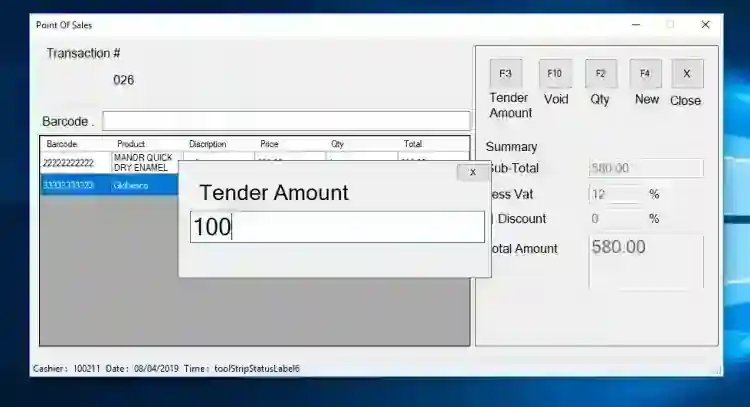
This is a Point of Sales System Project in C# and SQL Server. The system is a software-based application. This application helps businesses/retailers to manage their sales transactions with their customers. The system has 2 types of users which are the Admin and Cashier. The admin manages all the data in the database and the cashier manages the sales transactions with the customers. The main goal of this Point of sales system is to keep track of your cash flow, check your inventory, and controls transactions between the customer and the retailer. This is a user-friendly system whose functions can be easily followed even by a beginner. This is way better than the manual process because the processes are improved and provide quality service. It also helps make your work fast and keeps things running smoothly. This is best suited if you are considering putting one into your business. These are the following features of the system . Admin
Manage Products Manage Transaction Purchase Order Manage User Manage Supplier Manage Category Generate Sales Report Generate Inventory Report
Cashier
POS
The source code is free to download on this website. Feel free to download and modify the source code the way you desire. Follow the requirements and instructions below to run this project. How to Run System Requirements (Download and install the following)
SQL SERVER Management Studio or later version Microsft Visual Studio 2015 or later version MySQL-connector-net MySQL-connector-odbc
Setup
Download and Extract the source code zip file. (download button is located below) Locate the Backup File in the extracted source folder. The file is known as dbpos.bak. Open your SQL Server Management Studio Software and connect to the server. Then, restore the Backup(.BAK) file in your database. Locate the solution file inside the extracted source folder. The solution file is known as PointOfSales.sln. Open the solution file with your MS Visual Studio Software Configure the data source of the source code connection string in SQLConfig.cs and SQLSelects.cs files based on your database setup. Press the F5 key on your keyboard to run the project
You can access this system using the following accounts Admin
Username: admin Password: admin
Cashier
Username: cashier Password: cashier
DEMO
For more information about the system. You can contact me @ Email – [email protected] Mobile No. – 09305235027 – TNT FB Account – https://www.facebook.com/onnaj.soicalap
Screenshots


Download Project
