Cindy Restaurant System in C# and MS SQL Server with Source Code
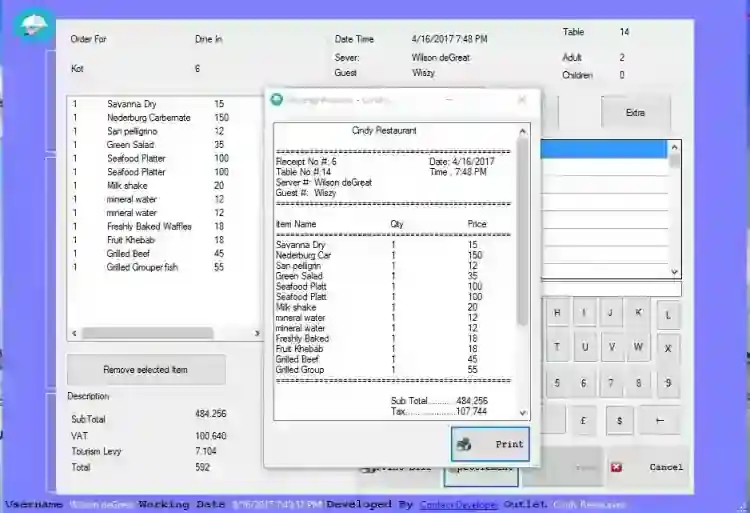
Cindy Restaurant is a super-advanced point-of-sale system, this desktop restaurant application has a wide range of features that makes restaurant oper...
Cindy Restaurant System in C# and MS SQL Server with Source Code
Cindy Restaurant is a super-advanced point-of-sale system, this desktop restaurant application has a wide range of features that makes restaurant operations very easy and enjoyable This is developed with C# as the front end and MSSQL server 2012 as the back end. Let's walk through some features this app possesses: Registration: the app contains several registration forms that help to identify some important operations from:
Employee registration Users Registration Currency Registration Electronic currency Registration Menu Groupings Registration Menu Registration auto Kot generation auto employee id generation Voiding payment Type Search Engine for both menu item, employees, sales, and the likes
Tracking
Login History
This feature allows administrators to track the daily usage of the app, - who is logged in or out as well as the date and time ins and outs.
Order Information
This feature is able to identify the guests that walk into the restaurant, such as how many they were, which table they used as well as who served the guest.
Net Sales
This form is ideal for taking track of your net sales by carefully and automatically subtracting your tax from the menu purchase.
Tax Sales
This feature handles the tax from the menu item purchased without you manually calculating how much your tax amount to for the month
Modification Of Item/Price
Sometimes you might wish to modify the price or menu name whilst selling the products, there is a feature in the order form called modify which makes a selected item to be modified
Freeze/Unfreeze
This is a feature that lets chefs/managers/users freeze an item that is out of stock or no longer sold, this is done by carefully attaching a reason why the selected item is freeze, when a waiter clicks on the frozen item while placing orders he/she is prompted with information that such item is frozen with the reason you have attached to it.
Cashier Closing Report
This helps to summarize your daily sales by distinguishing your cash made and Electronic payments received and summing them up for you.
Easy Login
Once you have been registered as a user of the app, logging in becomes easy and secure, users only have to select their name from the drop-down menu and just key in their password, If such a person is an administrator the app identify you instantly and assigns to you all the benefits of an administrator and vice versa if otherwise.
Updates
The app is also able to perform the necessary update on anytime or persons, Exchange rate as mentioned but few. Within the zipped folder is documentation of how the app works. This app is given out for free and is intended to teach upcoming developers some of the techniques in coding.
How to Run
Requirements
Download and Install Microsoft Visual Studio Software. Download and Install Microsoft SQL Server 2012 or later. Download and Install Microsoft SQL Server Management Studio.
Installation
Download and Extract the provided source code zip file. (download button is located below) Locate the database MDF file inside the "Database" in the extracted source code folder. Open your MS SQL Server Management Studio. Then connect to a server. Attach the MDF File to the database. Locate the solution file in the "Cindy Restaurant" folder in the extracted source code folder. The solution file is known as "Cindy Restaurant.sln". Open the solution file with your MS Visual Studio Software. Configure the connection string according to your SQL Server database credentials. The configuration can be found in the "clsInsert.cs" and within the class file there's a variable called "dbPath", this is where you configure the connection string. Press the "F5" key on your keyboard to run the Cindy Restaurant System.
Login Details
Administrators
Username: Wendel Philippian Password: Admin Username: Wilson deGreat Password: wilson
Users
Username: Abigail Abernache Password: abigail
DEMO
I hope this Cindy Restaurant System Project in C# and MS SQL Server will help you with what you are looking for. Enjoy :)
Screenshots

Download Project
