Simple Library Management System GUI using SQLite in Python Free Source Code
The Simple Library Management System GUI is a system coded in the Python programming language. The project employs multiple functionalities to manage ...
Simple Library Management System GUI using SQLite in Python Free Source Code
The Simple Library Management System GUI is a system coded in the Python programming language. The project employs multiple functionalities to manage book issuance and records. The purpose of this project is to assist students searching for a thesis project that they can use as a reference. This Simple Library Management System GUI using SQLite in Python, is a project that enables you to record book details, add members, and issue books to customers. The Simple Library Management System GUI can offer new learning techniques for developing programs in the Python programming language. The Simple Library Management System GUI using SQLite in Python Free Source Code is free to be downloaded just read the content below for more info. This application is for educational purpose only. Simple Library Management System GUI using SQLite in Python Free Source Code Basic Information
Language used: Python Coding Tool used: Built-in Python IDLE Type: Desktop Application Database used: SQLite
About Simple Library Management System
The Simple Library Management System was created using only the Python programming language. This system is a user-friendly application that can easily adapt to your needs. The project can be used without requiring any user login information. The system provides an efficient way to manage your library store. Users can add new books by providing complete details and also add new members. Additionally, you can issue the books that customers want to borrow.
Simple Library Management System GUI using SQLite in Python Free Source Code Features
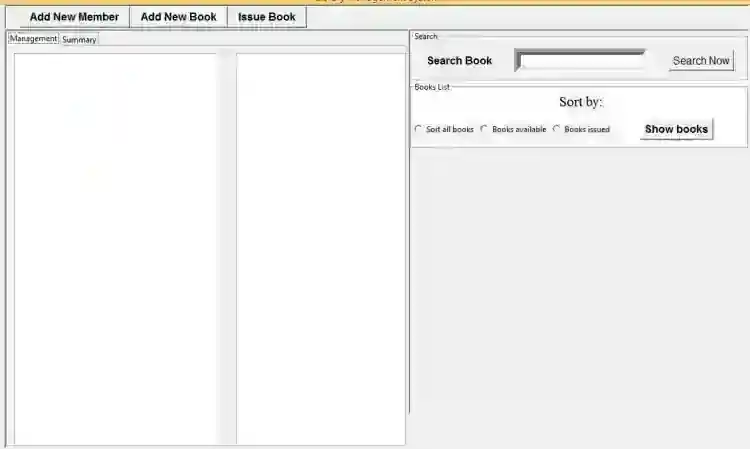
Can Add new Books Search Book Record Issue a Book Add Member
Sample Application Screenshots:
Simple Library Management System GUI using SQLite in Python Free Source Code Installation Guide
Download & Install the Python IDLE's, here's the link "https://www.python.org/downloads/". Download the source code in this site. Locate and Extract the zip file. Open the extracted folder Locate the py file. Then open the file via python IDLE or any IDE that supports python language. Run the py file to launch the program.
That's all, The Simple Library Management System GUI that created using Python language. I hope that this project can help you to what you are looking for. For more projects and tutorials please kindly visit this site. Enjoy Coding! The Simple Library Management System GUI using SQLite in Python Free Source Code is ready to be downloaded just kindly click the download button below. Related Projects & Tutorials Simple Library Management System GUI
Screenshots


Download Project
