Puzzle Game Using Pygame in Python with Source Code
The Puzzle Game is an interactive desktop application built entirely with Python using the Tkinter library. The gameplay is simple but challenging — c...
Puzzle Game Using Pygame in Python with Source Code
The Puzzle Game is an interactive desktop application built entirely with Python using the Tkinter library. The gameplay is simple but challenging — clicking a tile changes other tiles to yellow, and the main objective is to turn all the yellow tiles back to their default color. The Puzzle Game Using Tkinter features straightforward mechanics, allowing players to clear a level by restoring all yellow tiles in the grid. This project offers an excellent opportunity to reinforce essential programming concepts, making it a valuable exercise for improving your Python game development skills. The Puzzle Game Using Pygame in Python with Source Code is free to be downloaded just read the content below for more info. This application is for educational purpose only. Puzzle Game Using Pygame in Python with Source Code Basic Information
Language used: Python Coding Tool used: Built-in Python IDLE Type: Desktop Application Database used: None
About Puzzle Game Puzzle Game Using Pygame: Step into a mind-bending puzzle experience where every move counts. In this game, players are presented with a grid of tiles, each hiding a challenge. At the start of each level, clicking on a tile triggers another tile to turn yellow, adding a layer of strategy and surprise. The objective is simple yet tricky: carefully plan your clicks to turn all the yellow tiles back to their original color. As players progress, the levels become increasingly complex, requiring sharper logic, foresight, and problem-solving skills. With each successful level, the sense of accomplishment grows, making this puzzle game a captivating test of strategy and brainpower for players of all ages. Puzzle Game Using Pygame in Python with Source Code Features
Engaging Grid-Based Puzzle Gameplay
Players interact with a grid of tiles. Clicking a tile causes other tiles to change color, creating a chain reaction.
Objective-Oriented Levels
The goal is to turn all yellow tiles back to the default color. Completing the objective allows progression to the next, more challenging level.
Dynamic Difficulty Scaling
Each level increases in complexity and number of tiles. Encourages strategic thinking and planning for quicker solutions.
Interactive Tile Mechanics
Tiles respond to player clicks with color changes. Some tiles may affect multiple tiles, adding puzzle-solving depth.
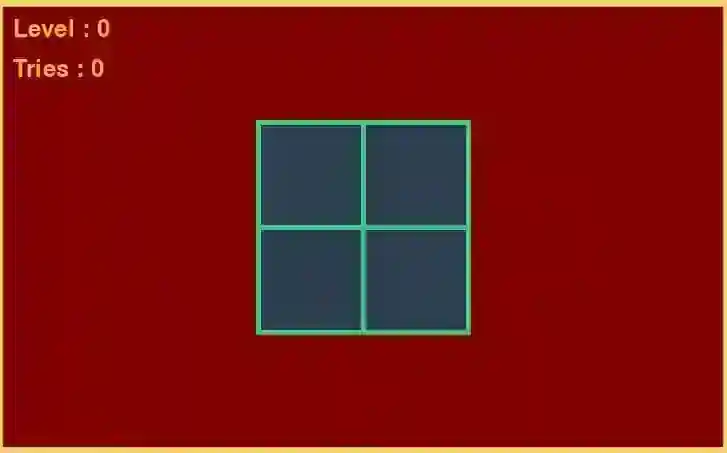
Sample Application Screenshot:
Puzzle Game Using Pygame in Python with Source Code Installation Guide
First you need to download & install the Python IDLE's, here's the link "https://www.python.org/downloads/". Download the source code in this site. Locate and Extract the zip file. Open the extracted folder Locate the py file. Then open the file via python IDLE or any IDE that supports python language. Run the py file to launch the program.
That's all, The Puzzle Game was created fully functional using JavaScript language. I hope that this project can help you to what you are looking for. For more projects and tutorials please kindly visit this site. Enjoy Coding! The Puzzle Game Using Pygame in Python with Source Code is ready to be downloaded just kindly click the download button below. Related Projects & Tutorials Puzzle Game
Screenshots


Download Project
