keycode-event-detector-app-in-vanillajs-with-source-code
Title: Keycode Event Detector App in VanillaJS with Source Code
Keycode Event Detector App in VanillaJS with Source Code
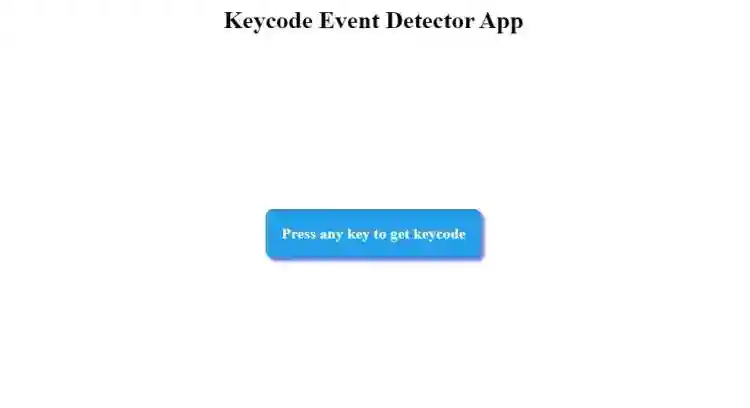
The Keycode Event Detector App is a web application created using the JavaScript programming language. The purpose of this project is to provide a simple tool that can detect keyboard key event codes. The program is displayed in a web browser and uses event capturing to track the event code of keyboard keys. The Keycode Event Detector App in VanillaJS is designed for detecting keyboard key events. This project demonstrates basic coding techniques in the JavaScript programming language. The Keycode Event Detector App in VanillaJS with Source Code is free to be downloaded just read the content below for more info. This application is for educational purpose only . Keycode Event Detector App in VanillaJS with Source Code Basic Information Language used: JavaScript Front-end used: HTML & CSS Coding Tool used: Notepad++ or any text editor that can run html files Type: Web Application Database used: None About Keycode Event Detector App The Keycode Event Detector App is a web application coded purely in JavaScript . The purpose of this project is to allow users to display the keycode each time they press a keyboard key. The program can detect any key as soon as it is pressed. This makes it easy for the user to capture the keycode of the pressed key. Try to explore the application and learn the process of retrieving the event keycode. Keycode Event Detector App in VanillaJS with Source Code Features User Interface (UI) Minimalist Design: The app has a clean, minimal interface that focuses on the functionality of detecting key events. Dynamic Keycode Display: When a user presses any key on the keyboard, the app displays the key’s name (e.g., "A") and its associated keycode (e.g., "65"). Responsive Design: The app is fully responsive, offering a smooth experience on both desktop and mobile devices. Core Features Detect Keyboard Input: The app listens for keydown or keyup events and detects which key was pressed. Display Keycode: Once a key is pressed, the app displays the keycode on the screen in real-time. Display Key Name: Along with the keycode, the app also shows the actual key name (e.g., “Enter,” “Shift,” or “A”). Instant Feedback: The app provides immediate feedback by updating the display as soon as a key is pressed. Visual and Functional Enhancements Real-Time Keycode Detection: As soon as a key is pressed, the app captures the event and updates the display in real-time, showing both the key and its corresponding keycode. User-Friendly Feedback: Users instantly see the name of the key and its keycode in large, easy-to-read text in the center of the screen. Sample Application Screenshot : Keycode Event Detector App in VanillaJS with Source Code Installation Guide Download the source code in this site. Locate and Extract the zip file. Open the extracted folder Find and locate the file "index.html". Open the file in a web browser(Chrome, Firefox, etc..). That's all, The Keycode Event Detector App was created fully functional using JavaScript language. I hope that this project can help you to what you are looking for. For more projects and tutorials please kindly visit this site. Enjoy Coding! The Keycode Event Detector App in VanillaJS with Source Code is ready to be downloaded just kindly click the download button below. Related Projects & Tutorials Keycode Event Detector App
Screenshots


Download Project
